Rules that match the facility
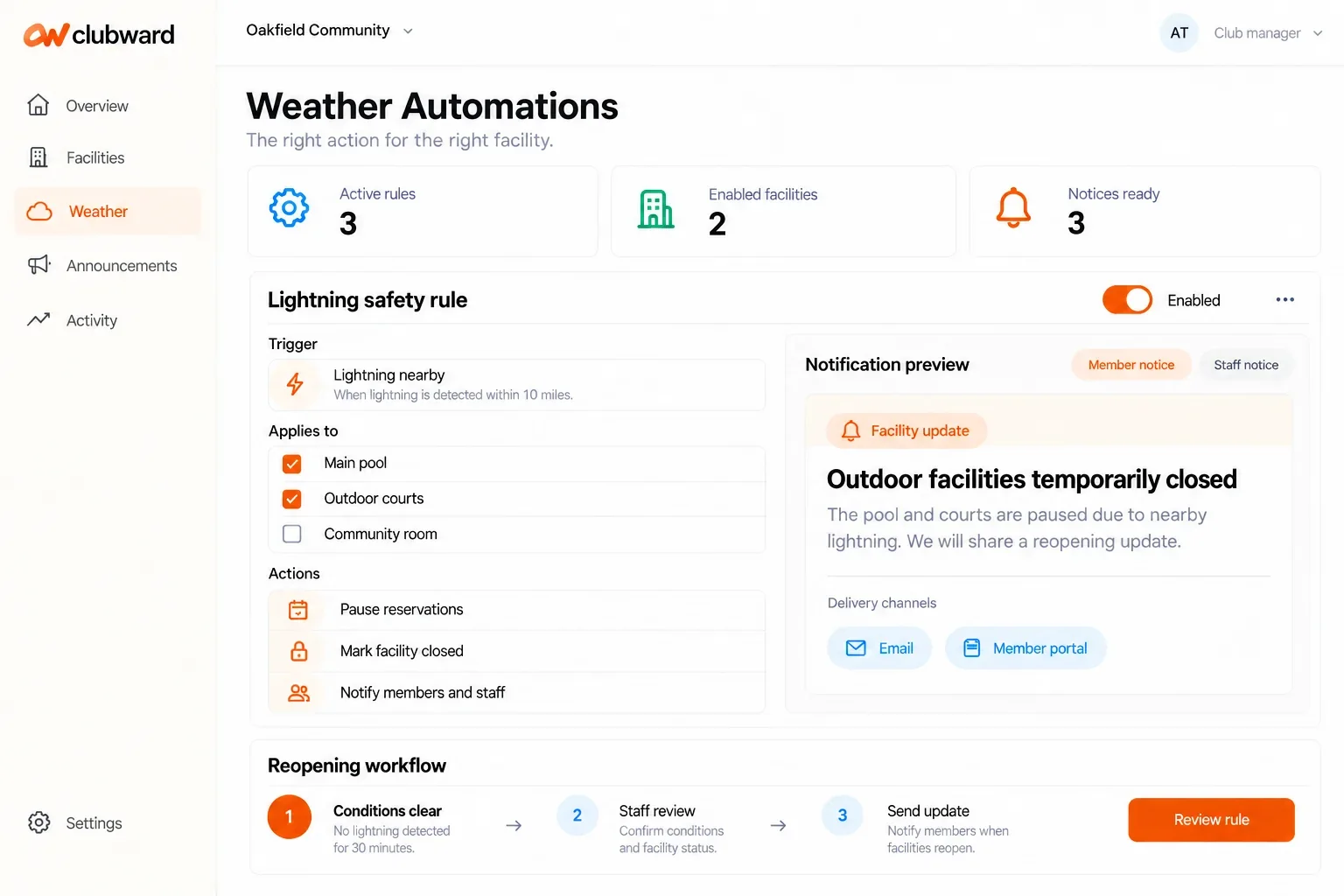
Define weather conditions and responses for enabled, applicable facilities rather than applying one blanket action to the club.

Facilities & experiences · Weather automation
Go beyond the forecast. Connect weather conditions to facility rules that trigger operational events and keep the right members and staff informed.
A personal demo built around your club’s day-to-day work.
When the day gets busy
A forecast alone does not update the operating day. Someone still has to decide which facilities are affected, coordinate the action and notify the people who need to know.
What gets easier
Define weather conditions and responses for enabled, applicable facilities rather than applying one blanket action to the club.
Use matching conditions to trigger the configured facility event or operating response, such as a weather hold or closure workflow.
Send the relevant update to permitted staff and member audiences associated with the affected facility.
Follow the workflow
Enable weather automation for the applicable space and define the condition and approved response.
Configure the operational event and the permitted staff and member notification recipients.
When the rule matches, trigger its configured response and give your team visibility into the event.
Before you decide
We’ll confirm availability, setup and the details that matter to your organization.
No. Forecasts provide context, while weather rules can trigger configured operational events and notifications for enabled, applicable facilities.
No. The audience follows the facility’s applicability, configured recipients and communication permissions. An affected outdoor area does not need to trigger a message to everyone using an unrelated indoor space.
Your club. Your next chapter.
Bring your questions about Weather automation. We’ll shape the conversation around your team, your facilities and the way your club works.