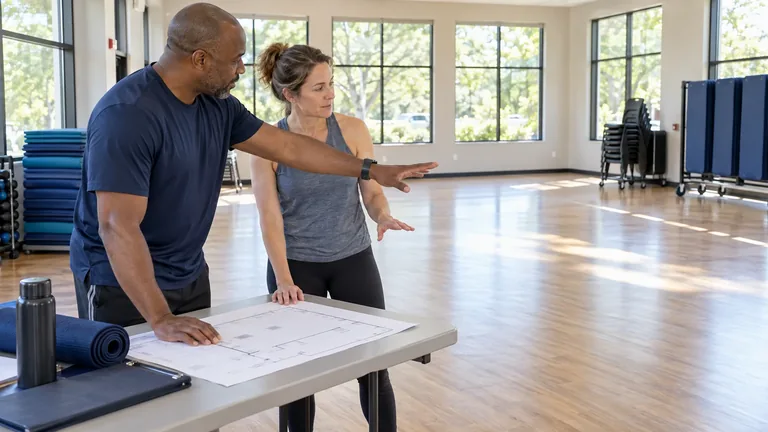
Set the class up before opening registration
Choose the schedule, capacity, and registration rules for lessons, clinics, or recurring programs.

Club classes and programs
From registration to attendance, give staff a clear view of who’s enrolled, who’s paid, and which waivers are on file before the instructor calls the roll.


Try it yourself
Open a sample program, check one enrollment, and follow it to the instructor’s roster and attendance record.
 Clubward Staff view
First session
Lap pool · 3 participants
The beginner swim series starts Saturday. Staff can see the schedule and enrollment count.
Bring a lesson, clinic, or recurring class to your walkthrough.
Book a programs walkthroughChoose the schedule, capacity, and registration rules for lessons, clinics, or recurring programs.

See the participant, payment status, and required waiver together before the session.
Open the session roster and update attendance as participants arrive.
How it connects
The program keeps the session, enrollment, and attendance in view. Staff can use that context when a family asks about a lesson or when the instructor reviews who took part.
Beginner swim lessons · Saturday · 9:00 AM
Questions about classes and programs
Yes. Classes & programs supports the sessions, enrollment, rosters and attendance behind lessons, clinics and similar recurring activities. Bring one of your current programs so we can walk through its schedule and requirements.
Yes. Connect a participant’s enrollment with their member and household context, eligibility and program billing. Your team can review the related account information without matching a separate signup list to payment records.
Waiver packets and completion status stay connected to member records. Review the documents relevant to your program alongside enrollment, then confirm your required checks and staff permissions during setup.
We’ll walk through how your team can set it up, review enrollment, and take attendance on the day.
Book a programs walkthrough
From the Clubward blog
Blog article
Work through the people, spaces and information your team needs before a program begins.
Read articleBlog article
Check real demand, instructor coverage and available space before opening another program session.
Read articleBlog article
Give helpers the place, timing, responsibilities and contacts they need for a useful first shift.
Read articleRegistration closes, but the work keeps coming: match payments to signups, check waivers, update the instructor’s list and answer who still has a place. A connected program record keeps those details together.
A registration list becomes another spreadsheet for the instructor, then another attendance list. Every transfer creates more work and another opportunity for the team to use outdated participant information.
When enrollment, eligibility and billing are disconnected, staff arrive at the session with unresolved questions. Instructors and administrators end up chasing information while participants are ready to begin.
A program may have more interest than its roster reveals. Without organized waiting interest, deciding whether to add capacity depends on scattered messages and someone remembering who asked.
In your personal walkthrough, we’ll explore:
Review the program’s roster, enrollment context and attendance workflow with the people running it. They should understand where to find participation information and who handles account questions that fall outside their responsibility.
Trace the work between opening registration and completing a session: roster preparation, billing questions, attendance and capacity follow-up. Compare those handoffs with the connected workflow instead of evaluating only the signup form.
Classes & Programs centers on ongoing enrollment, recurring schedules and working rosters. Events supports individual calendar occasions and their registration and attendance journeys; both connect to the wider club.
Yes. Classes & programs supports the sessions, enrollment, rosters and attendance behind lessons, clinics and similar recurring activities. Bring one of your current programs so we can walk through its schedule and requirements.
Yes. Connect a participant’s enrollment with their member and household context, eligibility and program billing. Your team can review the related account information without matching a separate signup list to payment records.
Waiver packets and completion status stay connected to member records. Review the documents relevant to your program alongside enrollment, then confirm your required checks and staff permissions during setup.
Keep capacity and waitlisted interest visible in the program workflow. When a place opens, staff can review the list and follow your club’s eligibility and offer rules. We will confirm your particular waitlist requirements in the demo.
Yes. Rosters and attendance stay close to the program your team is delivering. Staff can follow participation from enrollment into the session instead of creating another arrival list.