
Replace spreadsheets · Clubward solutions
Your community has outgrown the spreadsheet shuffle.
Give members, payments, and everyday operations a shared home. Start with the work that takes the most effort today.
A personal walkthrough, shaped around your organization.
Sound familiar?
The work between the tools adds up.
Spreadsheets are a useful starting point. The trouble begins when several people maintain different versions, a payment update never reaches the front desk, or a volunteer change means losing the person who knows how everything fits together.
A clearer way forward
Here’s what a connected workflow can look like.
- 01
Map what you already have
Identify the lists, household records, balances, and processes your team depends on. Decide which records are current and who should review them.
- 02
Connect the everyday work
Explore memberships, payments, check-in, programs, and staff workflows in one platform. Choose the capabilities your organization actually needs.
- 03
Agree on a practical transition
Review your data format and onboarding requirements with our team. Set a clear handoff and validation plan before changing the tools people rely on.
See the workflow
Your whole day. A clearer picture.
Start with a view of the people, payments, activities, and arrivals that keep your community moving. Then follow the details wherever your day takes you.
Take a closer look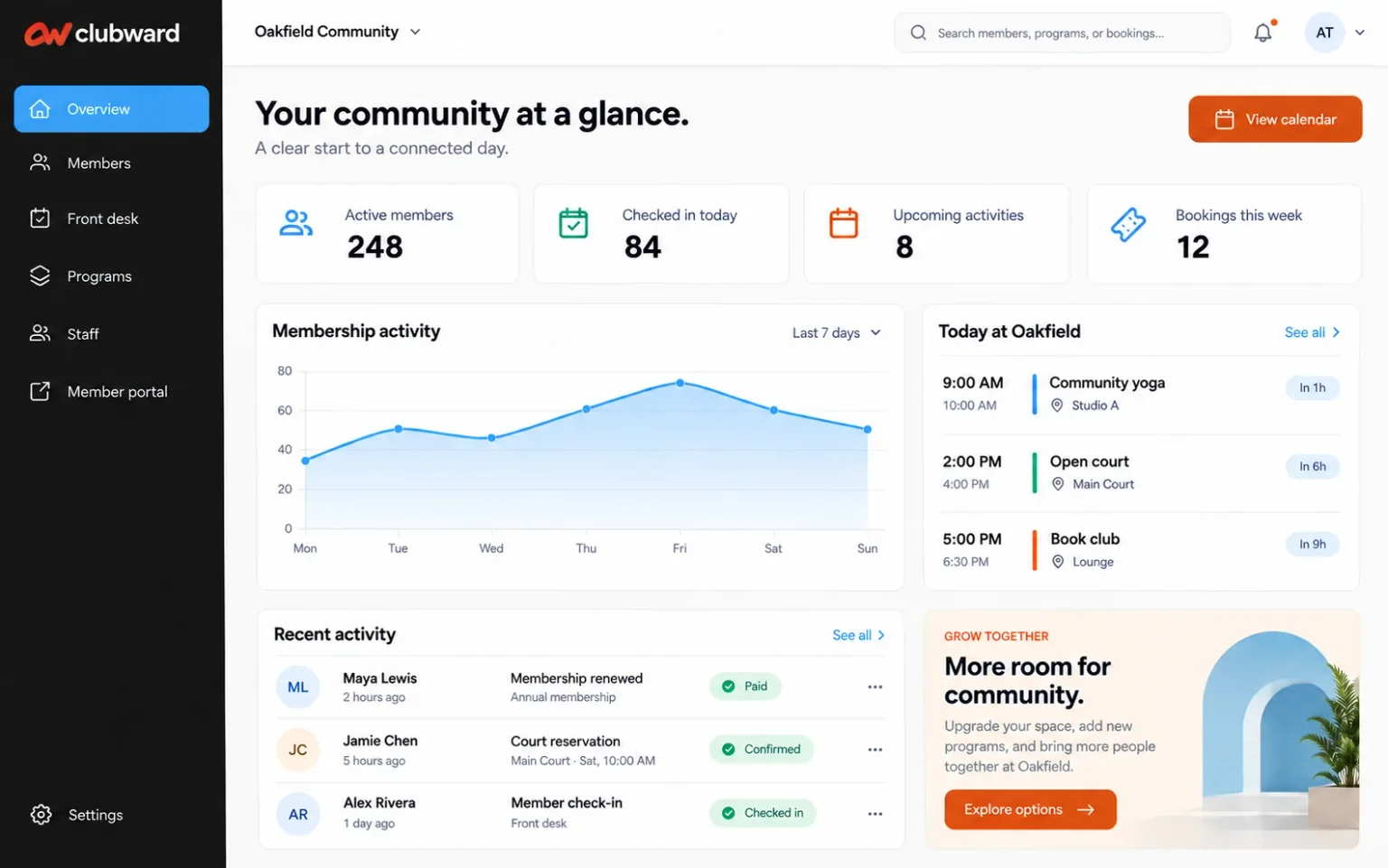
Before you decide
Good questions.
Clear answers.
Capabilities vary by plan and selected modules. We’ll confirm the details with you.
Can we move data from our current spreadsheets?
We will review your file structure, required fields, and data quality as part of switching planning. The preparation and import scope should be confirmed before onboarding begins.
Do we have to change every workflow at once?
Start by discussing your priorities and which modules you need. We can help define a rollout scope that fits your team and current commitments.
What should we bring to a first demo?
Bring a list of your tools, the tasks you repeat most often, and any must-have requirements. You do not need to send private member data to request a demo.
Your next step
Let’s make this part of your day easier.
Tell us how things work today. We’ll focus your demo on replace spreadsheets and the questions that matter to your team.
Keep connecting the dots
Explore the rest of your day.
Membership renewals
A renewal should feel like a welcome back. Give your team a connected view of members, households, and payments so the next step is easier to see.
Explore the solution02Membership billing
Bring the member, the balance, and the payment history into one conversation. Make billing questions easier for your team to answer.
Explore the solution03Member check-in
Put membership status, household details, and guest access within reach of the people greeting your community.
Explore the solution04Reservations & programs
Bring the class, the court, and the community room into the same operation as your members and front desk.
Explore the solution05Staff scheduling
Bring schedules, coverage, and timecards closer to the programs and arrivals your team supports every day.
Explore the solution06Member engagement
Renewal starts long before the renewal notice. Build an easier path from joining your community to taking part in it.
Explore the solution07Reporting & board visibility
Give managers and board members a clearer conversation about membership, payments, participation, and the work ahead.
Explore the solution