Clubward for clubs comparing PoolDues

Comparing PoolDues and Clubward? Bring your club’s real day.

PoolDues publishes tools for memberships, billing, check-in, reservations and concessions. Clubward connects membership administration with facility and team workflows. Both deserve a practical evaluation: follow the same household from renewal through a booking, a guest arrival and a counter purchase, then compare what your staff and members need.

For swim, tennis and hoa clubs evaluating pooldues and clubward.

Memberships & payments
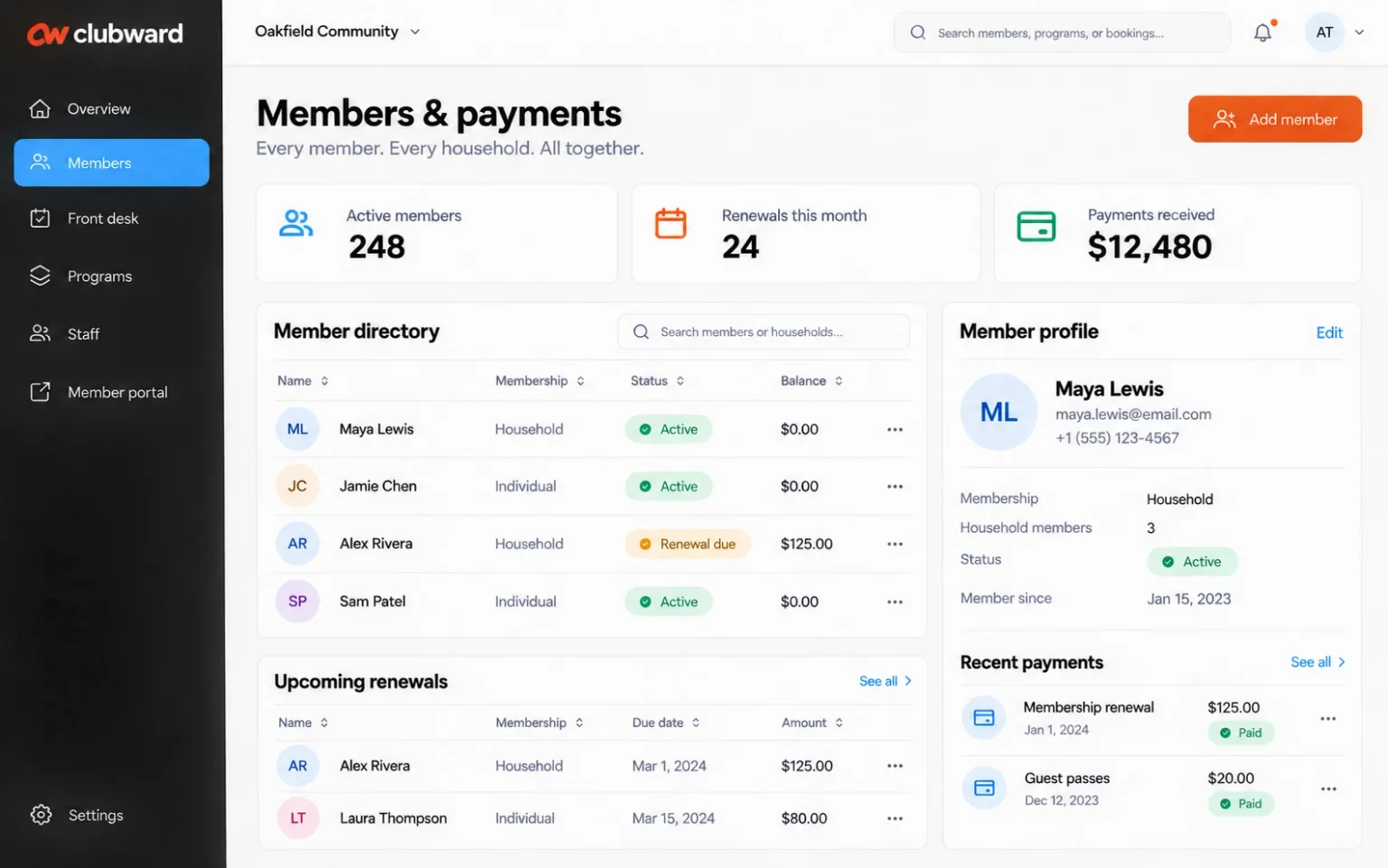
Clubward member directory with membership status and balances, alongside a household profile and recent payments.

Start with the work that matters

A clearer way through the busy parts.

Similar labels can hide different setups

Use your own membership categories and household relationships in both demos. Follow a payment or account question through to the staff response. Ask each provider to show what is included in the configuration you would actually buy.

Your website is part of the decision

Understand where your public pages, member login, reservation links and checkout will live. Discuss your existing website, the supported integration path and the responsibilities your team keeps. A clear website plan makes the operating comparison more useful.

A move needs more than an import

Review export options, household relationships, open balances, booking history and staff training before choosing a switch date. Payment authorization and integration requirements need their own checks; a successful demo is the beginning of that conversation.

Follow the everyday

See how the pieces work together.

  1. 1

    Use identical evaluation scenarios

    Choose a renewal, a guest arrival, a court booking and a concession purchase. Add the tasks that are hardest for your team today. Ask to see the same steps in each platform so your decision reflects operating fit.

  2. 2

    Explore the Clubward workspace

    Review memberships, payments, check-in and reservations, then include facilities, staff scheduling and Snackbar & POS where relevant. Ask how the selected modules work together and confirm the exact scope rather than assuming a feature label answers every question.

  3. 3

    Compare the full proposal

    Request current pricing, payment costs, module inclusions, onboarding scope and support arrangements from each provider. If you choose Clubward, agree on the records and validation steps needed for a controlled move.

Explore the details

The tools behind the workflow.

See all features

Compare the work, not just the list

Questions to ask when evaluating PoolDues and Clubward.

Use the same member journey and operating requirements in both demonstrations. Confirm current plans, integration scope and the total cost for your setup.

Membership and club operations evaluation guide
AreaPoolDuesClubwardAsk in your demo
Membership billingOnline invoicing and optional automatic billing through its documented payment setup.Membership billing and payment history connected with member and household records.Try your renewal rules and confirm payment-provider and transaction costs.
Front-desk arrivalsAttendance tracking, guest-pass balances and staff or self-check-in options.Member lookup, check-in and guest access alongside household and facility context.Demonstrate a guest visit and an account question using your access policies.
Courts and reservationsCourt and amenity bookings, reservation limits and documented clinic options.Reservations and program workflows connected with memberships and shared facilities.Try your capacity, guest and cancellation requirements in both setups.
ConcessionsPrepaid concession balances and related account workflows.Staff-operated Snackbar & POS, with Online Store as a separate website sales workflow.Follow a purchase, correction and end-of-day account review.

PoolDues product references, reviewed October 12, 2026: PoolDues product overview · PoolDues billing · PoolDues front desk · PoolDues reservations · PoolDues concessions

Choose with confidence

A useful fit starts with your requirements.

Explore Clubward when your evaluation includes connected facility, team and member-service workflows. Keep the comparison grounded in demonstrations of your requirements and a current quote from each provider.

Before you decide

Your questions,
with useful context.

Does PoolDues support check-in and reservations?

Yes. Its published front-desk and reservations pages describe attendance, guest-pass and court-booking workflows. Review those capabilities directly and test your own rules in both products. Clubward’s demo can show how arrivals and reservations connect with its member, facility and staff workflows.

Is this a claim that one platform is best for every club?

Your membership structure, facilities, website and operating responsibilities determine the fit. Use the comparison questions to evaluate both platforms, then confirm current capabilities and costs with each provider. We will be clear about the Clubward configuration your requirements need.

How do we plan a move from PoolDues?

Begin with an export and workflow review, then map the records you need to preserve. Confirm balances, household relationships and payment arrangements before setting a launch date. The switching guide explains the preparation and checks to discuss with our team.

Make your next step a useful one

Let’s walk through your organization’s day.

Bring the tasks that take the most effort, the tools you use and the questions you need answered. We’ll shape the demo around them.

Find your fit

Built around your kind of community.

Explore the workflows, questions and setup choices that matter to your organization.