Members & households
Keep participant records, family relationships and membership details together.
FOR COMMUNITY CENTERS
Connect memberships, programs and room bookings so your team can focus on welcoming people in.

BUILT AROUND YOUR CENTER
Picture a community center preparing for a full afternoon of classes and room bookings.
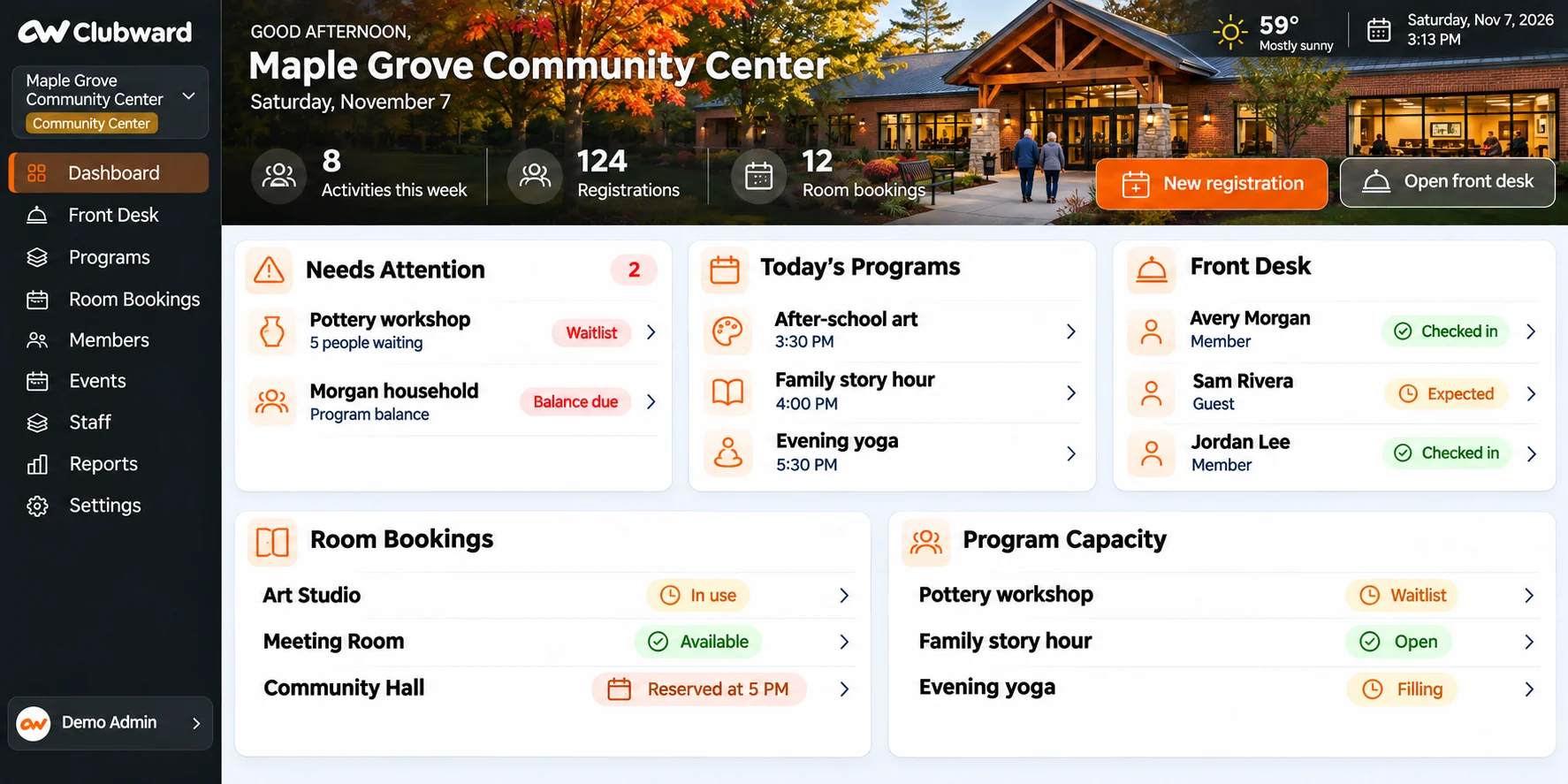
Keep members and household relationships in view as your team reviews the programs they use.
Review activities, shared room reservations and the people responsible for each space.
Use connected membership and guest information to answer arrival questions with more context.
Keep participant records, family relationships and membership details together.
Organize sessions, enrollment and rosters around the people taking part.
See when shared rooms are free and what’s scheduled in each space.
Give staff the information they need to welcome members and guests.
Keep guest visits connected to the household or activity that brought them in.
Help each person learn the Clubward workflows and procedures for their role.
Answer a family’s question about a charge or balance with the account in view.
Keep sign-ups and attendance organized for the events you host.
A PLAN THAT FITS YOUR CENTER
Bring your membership, registration rules and room schedule. We’ll help you choose the tools that fit your team’s day.
Understand your setup, optional tools and costs before you decide.
A PEOPLE-FIRST MOVE
Bring a class, a room reservation and a front desk question. We’ll work through the rules behind each one.
Review the member records, registrations and upcoming bookings your team needs to bring across.
Walk through the tasks each role handles, from enrollment to the next shift’s handoff.

From a Clubward customer
Real stories from people using Clubward to keep membership, payments and shared spaces connected.
They’re more confident because they actually have the information to help.
Programs and shared-space reservations are part of the connected workflow. Bring your capacity, scheduling and booking rules so we can show the relevant setup and confirm your requirements.
The front desk can work with connected membership and guest information. We will review your roles and permissions alongside the details your staff needs for arrivals.
We will review your existing records, fields and import requirements during onboarding. The migration scope and any cleanup work are agreed before the move.

Bring a class roster, a room booking or an arrival question. We’ll start with the work your team knows.