
Clubward for Membership management

Membership management software built around the relationship.

Every renewal, payment and visit is part of the same member relationship. Clubward brings that context together so your team can support households, answer account questions and understand when participation changes. Give members a clear place to manage their account, and give your staff a shared view of the community behind it.

For membership managers, administrators and growing community organizations.

Memberships & payments
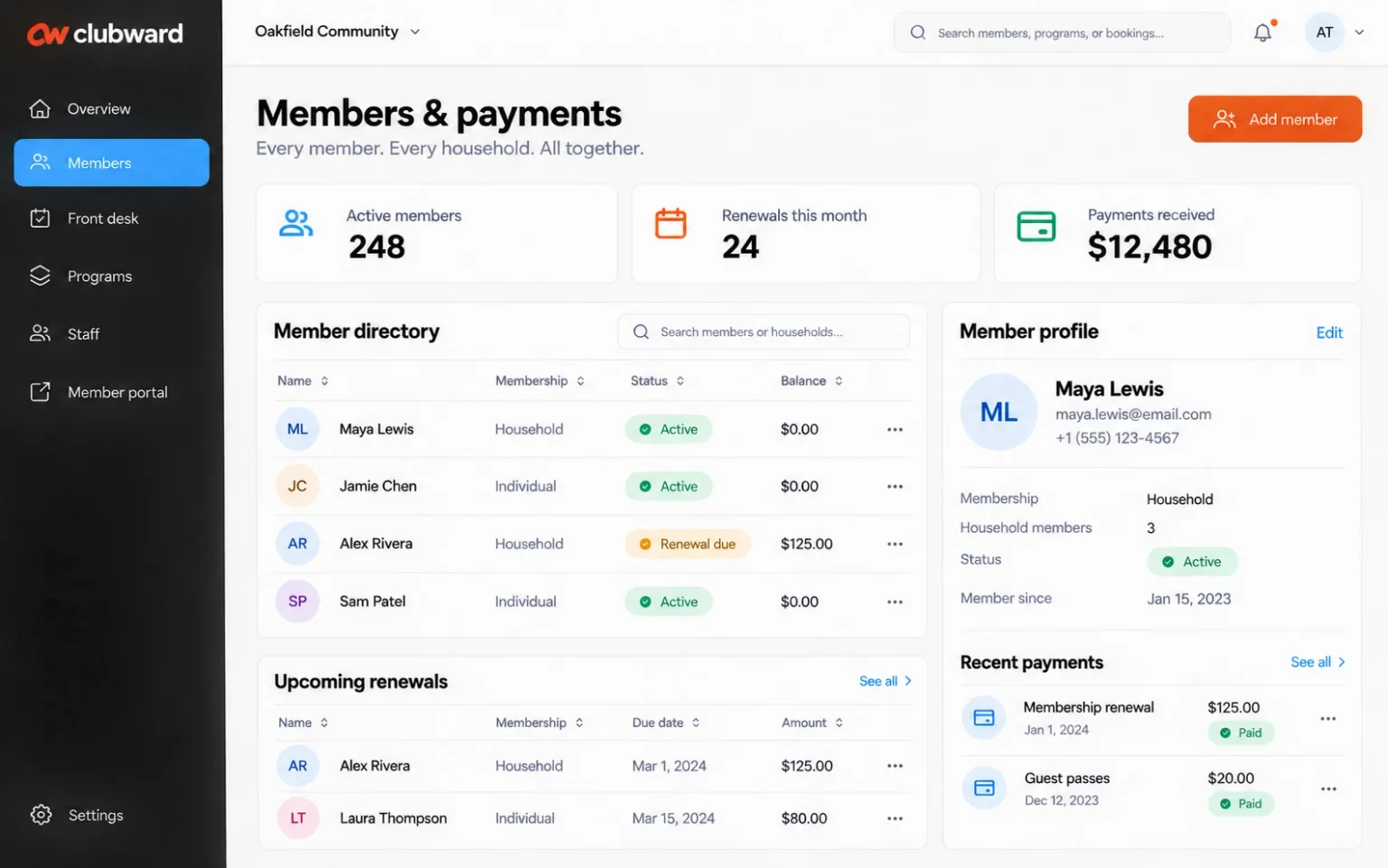
Clubward member directory with membership status and balances, alongside a household profile and recent payments.

Start with the work that matters

A clearer way through the busy parts.

Your database does not reflect the household

A single account may include several people with different contact details and participation histories. Flattening that relationship into a spreadsheet makes billing, eligibility and communication harder to follow. Connected household and individual records keep shared account context close without losing sight of the member.

Renewals lose momentum between systems

An invitation goes out, a balance changes and someone updates the membership list by hand. The gap between those steps creates more questions for staff and members. Membership administration software should bring renewal dates, status and payment history into a conversation your team can explain consistently.

Engagement is harder to see than enrollment

A member can remain on the roster while quietly disengaging. LookForward helps your team examine attendance and participation patterns, spot a change in a regular member’s habits and consider a response. That context creates an opportunity for a useful check-in before the next renewal notice arrives.

Follow the everyday

See how the pieces work together.

  1. 1

    Create a member record people can trust

    Bring contact information, household relationships, membership types and relevant documents into a connected workspace. Review the fields and data cleanup your current lists need before importing them. Agree on staff permissions so each person has the context required for their role.

  2. 2

    Make the next account step easy to find

    Connect renewal windows, billing and the member portal. Walk through a returning household, an outstanding balance and a member updating their information. Clear self-service paths and a shared payment history help your team spend less time reconstructing the story behind an account question.

  3. 3

    Follow participation with a useful response

    Use communications and LookForward to turn changing member trends into a plan. Review a suggested re-engagement campaign, choose an appropriate offer and decide when to reach out. For clubs with a snack bar, that offer might be a free smoothie redeemed through Snackbar & POS.

Explore the details

The tools behind the workflow.

See all features

Choose with confidence

A useful fit starts with your requirements.

A strong starting point when membership administration needs to connect with participation and everyday service. We will review your member structure, workflow priorities and import requirements before recommending a rollout.

Before you decide

Your questions,
with useful context.

How is membership management different from a contact list?

A contact list stores people’s details. Membership management connects those people with eligibility, membership status, renewal dates, payments and participation. Clubward also brings that context into club operations, so a front desk team or program coordinator can work from the same member picture as the administrator.

Can Clubward handle household and individual memberships?

Yes. Clubward connects individual profiles with household account context. Bring your membership types, age or household rules and renewal schedules to the demo so we can review the configuration together. The walkthrough can include both the member experience and the staff view of the same account.

What should we prepare before switching membership software?

Start with your membership categories, renewal calendar, required fields and the tools you use today. A list of your biggest recurring problems is useful too. You do not need to provide private member records for the first conversation; data mapping, cleanup and import scope can follow an initial fit review.

Make your next step a useful one

Let’s walk through your organization’s day.

Bring the tasks that take the most effort, the tools you use and the questions you need answered. We’ll shape the demo around them.

Find your fit

Built around your kind of community.

Explore the workflows, questions and setup choices that matter to your organization.