Property Management Companies
One Clubhouse Request, Two Websites: Test the Resident's Next Click
Test a clubhouse request across two websites, from the resident's first click to confirmation, help ownership, and a changed date.

A resident selects “Request the clubhouse” on the management company's website and arrives at the community website. The button worked. The request may still fail if the second page describes a different process, asks for an unfamiliar login, or sends the resident back to the first website for help. Test the whole route, including what happens after submission, before calling the link complete.
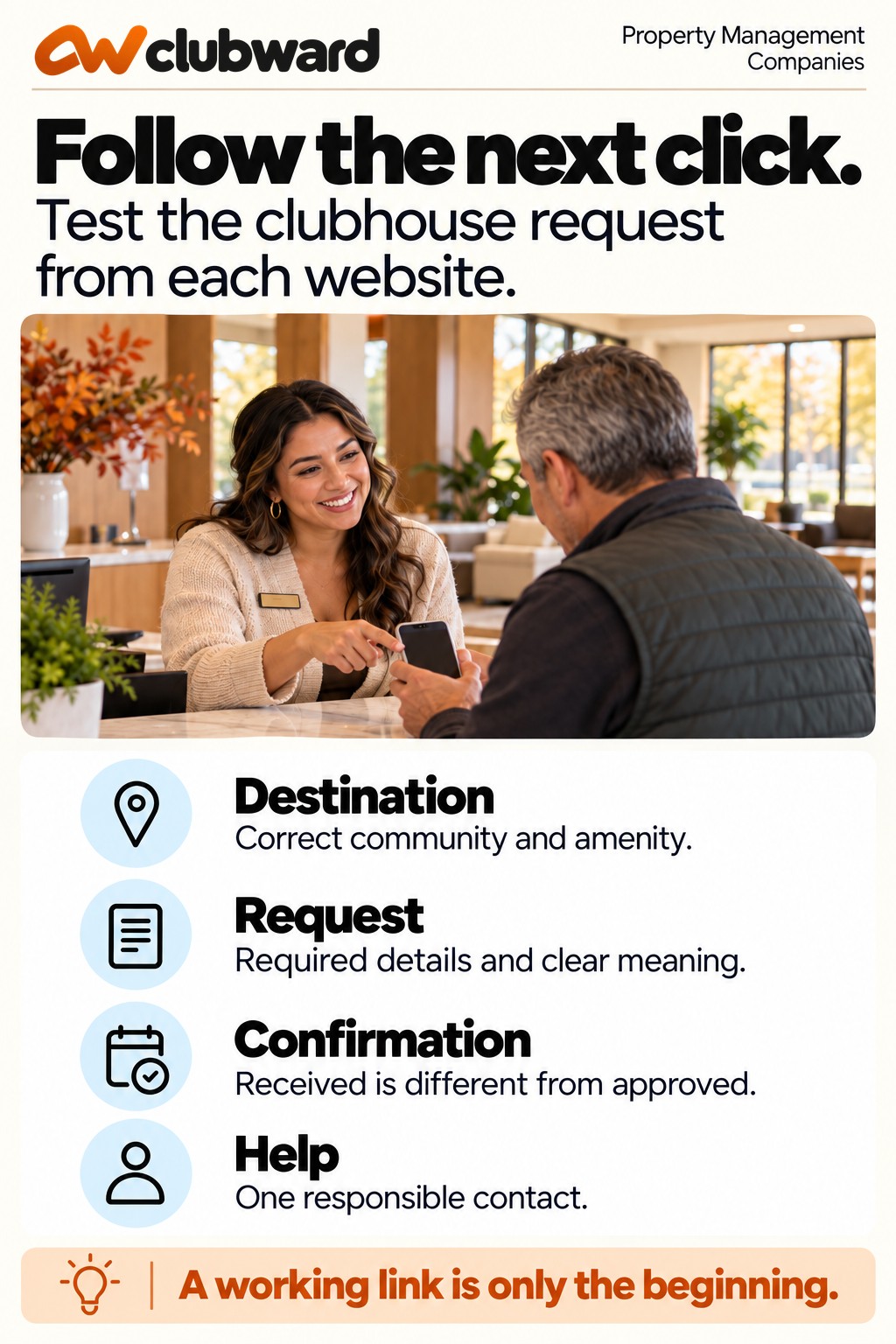
Use one sample request to check four things: the destination, the information required, the confirmation, and the person responsible for the next answer. Then repeat the check with a changed request. Your resident should be able to tell which community the request belongs to, what has happened, and what to do next without knowing how your websites are organized.
This checklist is for professional property managers coordinating amenity requests across a management site and a community site. It focuses on the resident's journey and the staff handoff. Adapt the examples to your established booking rules and approval responsibilities.
Define the request before testing the websites
Choose a specific clubhouse situation rather than testing every navigation item at once. For example, a resident wants the Cedar Court clubhouse for a Saturday family gathering. They need to find the correct request route, provide the required information, and understand whether their submission creates a request or a confirmed reservation.
Write down the expected outcome in plain language. “A request reaches the Cedar Court amenity coordinator, who checks the date and required details before confirming the booking” is a useful starting point. “The user clicks the booking button” describes only the first movement.
Identify the request owner, the person who can approve it, and the help contact. These may be different people. A website administrator can repair a link without deciding whether the event is permitted. The amenity coordinator can answer a booking question without having access to change the management company's navigation.
Keep the test narrow enough that someone can complete it in one sitting. Include the requested space, date, community, and normal resident starting point. When a failure appears, record that exact step before expanding the review to other communities or request types.
Make a route sheet with five checkpoints
Give the tester a simple sheet that follows the request from beginning to end. Use a row for the management website, destination page, request submission, confirmation, and help route. Add a change request as a separate test after the original route works.
- Starting point: Where would a resident reasonably begin, and what does the link promise?
- Destination: Does the next page identify the correct community, space, and action?
- Submission: Can the resident provide the necessary details and recognize any missing information?
- Confirmation: Does the response explain the request's actual state and the next step?
- Help: Can the resident reach someone responsible for that step without returning to an unrelated inbox?
For each row, record the actual result, the expected result, the owner of any correction, and the evidence needed to close it. A screenshot or page reference can help the responsible editor find the issue. Keep sample household and contact information separate from any public report.
Use “not tested” when you have not followed a step. Do not mark a confirmation complete because the form offers a submit button. A working destination and an understandable response are different checks, and both matter to the person trying to reserve the room.
Begin where the resident begins
Ask a colleague who did not build the route to start from the page a resident normally sees. That might be the management company's community directory, a welcome email, or a saved clubhouse information page. Give them the request situation without explaining the intended sequence.
Check the link wording before clicking. A button labeled “Reserve now” may create an expectation of immediate confirmation. If the next step is an approval request, use wording that describes that step accurately. Preserve the difference between asking for a date and being granted the date.
Follow the route on a phone as well as a larger screen. Inspect the actual button, destination, form, and response. A desktop navigation menu can hide the resident's next step on a smaller screen even when the destination itself is available.
Test a normal signed-out starting point if that is how residents first encounter the page. When sign-in is required, the instruction should make sense before and after it. Do not teach residents to work around account checks; confirm that the approved route returns them to the appropriate request step.
Check what the destination tells the resident
The destination should make its relationship to the original link clear. A community name, clubhouse heading, and recognizable request action give the tester useful context. If the second website looks different, the resident should still be able to understand why they arrived there.
Compare the practical instructions on both websites. Look at request lead time, approval wording, required details, guest conditions, and the help contact. Do not require the pages to repeat every paragraph. Require them to agree on the points that affect the resident's next decision.
If the management site says to contact the office and the community site offers a form, determine whether those are two approved routes or an outdated instruction. Ask the operational owner to settle the process before the website editor rewrites either page.
Check for a route that ends at a general homepage. The tester should not need to rediscover the clubhouse process after the first click. Where a direct destination cannot be used, the landing page needs a visible, accurate next step appropriate to that resident and community.
Use a request that exposes missing context
Try a sample gathering with a requested date, time, expected attendance, and setup needs. Include only fields your actual approval process uses. A form can collect plenty of information and still omit the detail the coordinator needs to decide whether the space is suitable.
For each required field, ask who uses it and for what decision. If a field has no identified purpose, review it through your normal process rather than retaining it because the old form included it. If a necessary detail is missing, identify how the coordinator obtains it without creating a second unexplained request.
Observe how the form handles incomplete information. The resident should be able to find the field that needs attention and understand what to provide. A message saying “submission failed” is less useful than an instruction tied to the unresolved detail.
Do not enter real resident information merely to test the route. Use an authorized sample record or an agreed test procedure, and tell the receiving owner what to expect. Avoid creating a real reservation, payment, or duplicate request while checking the communication path.
Read the confirmation as a resident would
The confirmation should state what happened. “We received your clubhouse request” is different from “Your clubhouse reservation is confirmed.” Use the wording that matches the actual state. A receipt should not encourage the resident to invite guests before approval when approval remains required.
Check whether the response identifies the community, requested space, date, and next action. The resident should have enough information to recognize their request and refer to it when seeking help. Where your process uses a reference number, make its purpose clear.
If the response includes an expected review time, verify that the operational owner has approved it and can support it. Do not turn an internal aspiration into a resident promise. A named next step and a reliable help route are more useful than an unsupported assurance of a fast answer.
Read any follow-up email or message separately from the immediate screen. They should describe compatible states. A screen that says “pending review” and an email that says “booking complete” creates a contradiction even if both were generated from the same submission.
Trace the request to the person who receives it
After the resident-facing check, ask the receiving owner to locate the sample request through the approved procedure. Confirm that the community, date, and relevant details survived the handoff. The fact that an email arrived somewhere does not prove that the responsible coordinator can act on it.
Identify how the owner distinguishes a new request, a request waiting for information, an approved request, and a request that was declined or withdrawn. The resident does not need to see every internal label, but the staff procedure should support an accurate next update.
Check the absence case. If the regular coordinator is away, who can locate the request, explain its state, and follow the established approval boundary? A shared help address is useful only when someone is responsible for monitoring it and knowing where the relevant record lives.
Record an ownership gap as an operational correction, not merely a website defect. The web editor can make the help link work. The manager must establish who answers and what they are authorized to decide.
Test a changed request without starting over
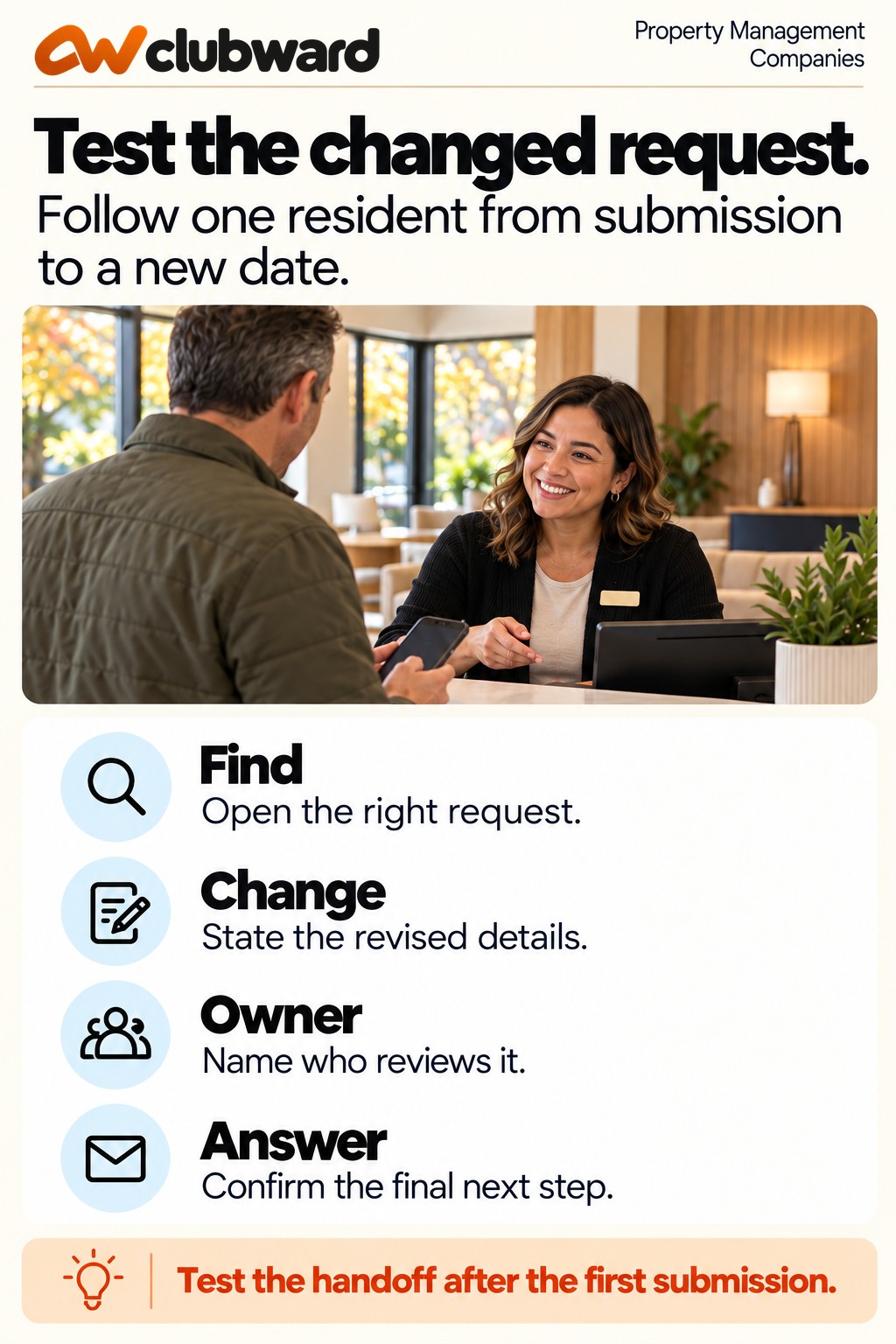
Once the initial route works, change one detail in the sample case. Suppose the resident wants the same clubhouse on Sunday instead of Saturday. Follow the actual instruction for a request already submitted. Does the confirmation explain how to ask for that change?
The receiving owner should be able to identify which request is being changed and whether the change needs another decision. A second form submission without a reference to the first can leave two competing records. Do not assume that the newest message automatically replaces the earlier request.
Check how the resident learns that the change has been accepted, remains pending, or cannot be accommodated. The final answer should refer to the correct date. If the original approval still appears in an email or resident view, determine how your process prevents it from being mistaken for current permission.
Use the changed case to test the handoff between website support and amenity operations. A resident who asks “How do I change this?” needs a route to the request owner. They should not be passed between two teams because each believes the other website owns the problem.
Work through a two-website example
Consider a management website whose Cedar Court page links to “Book the clubhouse.” The destination page correctly names Cedar Court but says to email the community office. Farther down, a request form asks for the resident's address and event date. A submit message says “Thank you for your reservation.”
The tester identifies three questions. Is email or the form the approved route? Does submitting the form reserve the date? Who owns a correction to the confirmation message? The coordinator confirms that the form is the normal request route and that approval is required before the date is reserved.
The management website link becomes “Request the clubhouse.” The destination leads with the request steps and retains email as the approved help route. The receipt explains that the request has been received for review. The coordinator checks the sample record and sends the actual decision through the established process.
A second test asks to change the date. The receipt's help instruction leads to the coordinator, who finds the original request and records the revision for review. The tester can explain the request's current state without relying on a private conversation with the website editor.
Give each failed step a bounded correction
Write a correction request that includes the location, the observed issue, the approved replacement behavior or wording, and the verification step. “Fix the clubhouse process” gives several people room to make incompatible changes. “Change this button to the confirmed request destination” is easier to complete and check.
Separate the correction owner from the verifier when practical. The person who changes a page can confirm that the edit saved. A second person can follow the resident route and check that it answers the original question. Both checks contribute different evidence.
Prioritize a misleading approval message or a wrong-community destination over cosmetic differences between the sites. Explain the impact in concrete terms: the resident may believe an unapproved date is confirmed, or their request may reach the wrong owner. Avoid inflated labels when a clear description will do.
Keep an unresolved step visible with an owner and next review point. If an approved temporary instruction is needed, place it where residents encounter the problem. Do not mark the route repaired because a task has been assigned.
Recheck the repaired route in its real context
Follow the same starting point after the correction is saved. Read the link, destination, request instructions, and confirmation again. Where you changed a help contact, test the route with the receiving team through the approved method rather than assuming the address is monitored.
Repeat the relevant phone check. Look for labels that wrap badly, buttons that are difficult to distinguish, and instructions that appear below unrelated material. The aim is a usable next step, not simply a page that can be opened.
Check a saved welcome message or resident guide that points to the route. If it still uses the old destination, assign that correction separately. A new navigation button does not repair links already distributed through other channels.
Close the issue with the actual verification date and result. Retain the sample situation and expected outcome so the next website change can be tested against the same practical standard. This turns the repair into a repeatable review rather than a one-off discovery.
Keep community differences explicit
When your company manages several communities, distinguish shared website conventions from community-specific booking decisions. A common link pattern can help residents find a request route. It should not quietly make every association's approval requirements identical.
Use the verified Cedar Court case as a testing method, then select a different community's actual procedure. Confirm its request owner, destination, approval conditions, and response. Do not copy a confirmation promise from one community merely because the forms look alike.
Keep a small route register with the community, current destination, operational owner, website correction owner, and last verified date. Add the particular request type when a community has several spaces with different procedures.
Review a route when a website changes, a coordinator changes, or residents repeatedly ask where a request went. Those events give the review a practical purpose. A directory entry marked current should reflect a completed check, not the assumption that last year's link still tells the right story.
Check the help handoff with a specific question
Send the test owner a question that describes the resident's current position: “I submitted a Cedar Court clubhouse request for Saturday and need to change the start time. Where should I send the change?” A general question about website support may bypass the operational handoff you need to inspect.
Have the receiver identify the existing request through the approved record, explain the change route, and name the person who decides whether the revised time works. Record any point where the question is forwarded without context. A forwarded message should carry enough information for the next owner to continue without asking the resident to repeat everything.
If the first receiver cannot see request details, their instruction can still identify the correct team and what reference the resident should provide. Avoid making broad access the default solution to an ownership gap. Confirm the information each role needs to do its part, and follow your established access process.
Check the response from the resident's perspective. Does it answer where to go now, or does it merely explain which website is responsible? A useful handoff might say, “Contact the Cedar Court amenity coordinator using this address and include your request reference. Your original date remains unchanged until the coordinator confirms a revision.” Adapt that sentence to the actual procedure.
Include a backup contact when your approved process requires one. The backup should know where to find the relevant instruction and when to escalate. A personal favor from an off-duty manager is not a reliable help procedure for future residents or staff.
Separate a website failure from a request decision
When a resident reports a problem, first locate the failed step. They may be unable to open the destination, unable to complete a required field, waiting for a decision, or unhappy with a declined request. Each situation needs a different owner and response.
Use a short intake question: “Which step were you trying to complete, and what happened?” Ask for the page or request reference when appropriate, without requesting unnecessary account information. Record the observed result rather than assuming that every clubhouse complaint is a technical fault.
A website owner can investigate a broken destination. The request owner can explain missing information or an approval state. An authorized decision maker can review an exception under the community's procedure. Keep those responsibilities connected without confusing them.
After the issue is resolved, test the relevant step again. A corrected page does not establish that a pending request was approved. An approval does not establish that the website instructions are now accurate. Close each part with its own evidence so your report gives the resident and staff a clear account of what changed.
Retain a brief note explaining which part was repaired and which part remains open. Give the remaining owner the next action and enough context to continue. That distinction helps the incoming manager answer a resident accurately without reopening a completed website correction or treating an unresolved booking decision as settled.
Bring one resident journey to a workflow demo
Clubward supports program and shared-space reservations. Bring the website-to-request checklist to a walkthrough of your amenity process. Use one community's actual approval boundary and one sample request rather than starting with a broad list of desired features.
Ask the team to follow the resident's starting point, request state, receiving owner, and final response. Include the changed-date case. Your useful test is whether the workflow supports a clear next step at each handoff, with responsibility understood by the people who run it.
Book a personalized Clubward demo using that resident journey. A successful next click should lead to a request the resident can understand and the right person can complete.
From Clubward Editorial Team
More from Clubward