Swim & Tennis Clubs
A Membership Change Handoff for Swim and Tennis Club Check-In
A membership change is not finished when the form is approved. It is finished when the family and front desk see the correct access, guest and booking rules.

A family upgrades its membership on Wednesday. The account shows the new package, but the front desk still sees the old access rule on Saturday morning. A guest benefit did not carry over, a court booking is questioned, and the staff member at the counter becomes the person trying to interpret the change.
Approving the membership change was only the first half of the work. The second half is the operational handoff: household record, effective date, billing treatment, waiver requirements, access permissions, guest rules, reservations and the answer staff should give at check-in. If one of those pieces remains on the old membership, the family experiences the change as unfinished.
The simplest fix is to define “complete” from the front desk backward. Before closing the request, run the arrival scenario the family will actually encounter. Can the credential be found? Does the current membership appear? Are dependents included correctly? Do guest and booking rights match the approved package? If the answer is unclear, the change is still in progress.
Why a simple change becomes a complicated shift
- The package changes without an effective date: An upgrade or downgrade may begin immediately, next month or next season. Staff cannot apply the right rule without a timestamp.
- Billing is mistaken for eligibility: A payment status can be relevant, but it is not a substitute for the approved membership rule. Keep the decision and its financial treatment connected but distinct.
- Household members inherit inconsistently: One adult may update while dependents or a second adult remain on the previous status. Review the whole household.
- Guest and booking rights are forgotten: Packages often affect more than entry. The change checklist must include guest entitlements, courts, programs or other benefits the club has defined.
- The first test happens in front of the member: Waiting for the family’s next visit makes a busy staff member the quality-control process. Test a representative scenario before the effective time.
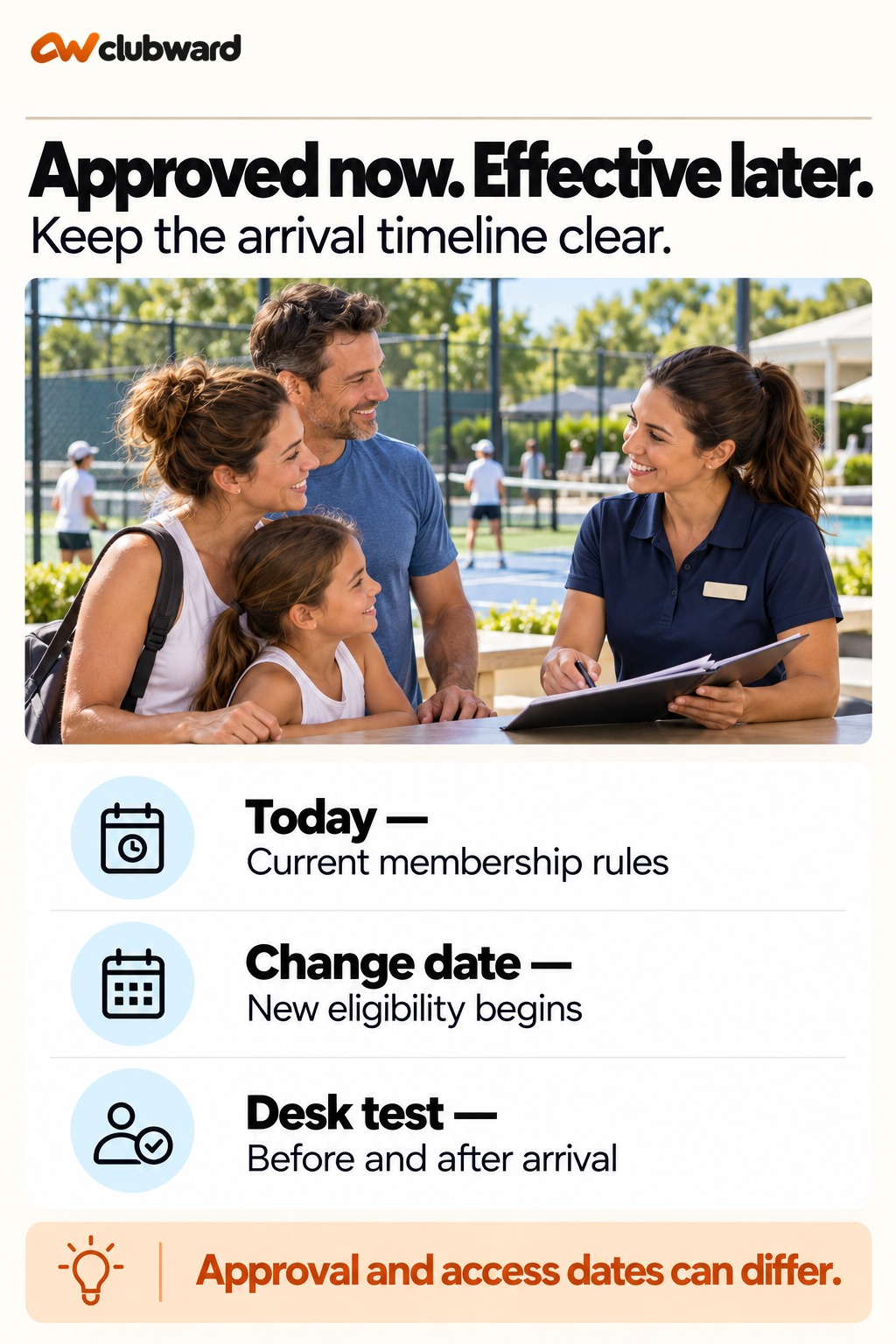
Build a handoff packet people can actually use
- Approved old and new membership: Name both so the reviewer can see exactly what changes.
- Effective timestamp: State when the new package begins and when the old one ends.
- Household coverage: List the people included and any member-specific exception.
- Financial treatment: Record the approved charge, credit, proration or pending decision without asking the front desk to calculate it.
- Eligibility effects: Identify access, guest, booking, program and other package rules that require review.
- Completion owner: Assign one person to test the change and resolve exceptions before the next visit.
Move the decision from one role to the next
1. Confirm the requested change
Compare the family’s request with the package definition and the club’s approval policy. Clarify ambiguous dates or household coverage before editing the record.
2. Record one effective timeline
Write the old-package end and new-package start together. This prevents a gap, an overlap or a debate about whether the change applies to today’s visit.
3. Apply the financial decision
Use the club’s approved approach to charges, credits or proration. If a decision is pending, show that state clearly and assign it rather than hiding it in a note.
4. Review connected requirements
Check waivers, required documents, household relationships, guest allowances, programs and reservations that the package affects.
5. Run the front-desk test
Search for the family the way staff will, review the status shown at arrival, test a guest scenario and confirm any court or program rule relevant to the new package.
6. Send a clear confirmation
Tell the family when the change takes effect, what action remains and whom to contact. Give staff a short note only when the standard record does not explain an approved exception.
A worked handoff example
Consider a household that changes from a weekday package to a full-access family package effective October 15. Two adults and two children belong to the account. The change includes weekend access and a different guest allowance; a tennis reservation already exists for October 17. The club has approved a specific mid-cycle charge.
The membership administrator records the old package through October 14 and the new package beginning October 15. They apply the approved charge, verify that both adults and both children are included, and check that required waivers remain current. Next, they review the weekend eligibility, guest rule and existing court reservation.
Before closing the request, the administrator opens the family as the front desk would. The new status appears on the correct date, the credential remains connected, the guest allowance matches the package and the reservation is still valid. The family receives a confirmation with the effective date and payment detail. The front desk sees the standard record rather than a special email it must remember.
Measure whether the handoff works
- First-visit exception rate: Track changed memberships that require manual intervention at the first visit after the effective date.
- Household completeness: Review whether every included member received the intended eligibility.
- Pending-decision age: Watch financial or policy decisions that keep a change open near its effective date.
- Scenario-test completion: Record whether the arrival, guest and booking checks were completed before the change took effect.
- Member follow-up: Count changes that generate a second question because timing, payment or benefits were not explained.
Practice with the family’s real arrival path
Create three test scenarios that reflect your club’s packages. Use an immediate upgrade, a future-dated downgrade and a household change that affects only one member. Add a guest visit or court booking to at least one scenario. The membership administrator should process the approved change while another staff member reviews it from the front-desk perspective.
The reviewer should not rely on the change request. They should search for the household the same way they would during a busy arrival, inspect the current status, check the relevant credential and follow the guest or booking rule. If the correct answer is visible only in a special note, ask whether the standard membership record can carry the information more clearly. Notes are useful for true exceptions, not for every ordinary package change.
Run the test across the effective time when possible. A future-dated change should not take effect early, and the old package should not linger after the new one begins. Confirm what happens to existing reservations that cross the boundary. Record any mismatch as a process defect with an owner, not as an instruction for front-desk staff to remember. The exercise should end with a revised checklist and one verified example that supervisors can use when training the next administrator. Repeat the scenario whenever package rules materially change.
Where a connected club management platform helps
Clubward connects seasonal memberships, household records, renewals, waivers, payment steps, check-in and guest access so a household’s current status can carry into the daily arrival workflow. When evaluating Clubward swim club software, bring a real family-renewal and guest-visit scenario, and confirm the plan, module, payment and hardware details for your organization’s setup.
That is the right standard for a membership-change evaluation. Ask to see a real old-to-new package transition with a future effective date, multiple household members, a guest visit and a reservation. The goal is not a polished dashboard alone. It is proof that the approved decision reaches the people and rules that depend on it.
Work through a future-effective change on two dates
Suppose a household requests a change on October 8 from a pool-and-tennis package to a tennis-only package beginning November 1. The membership administrator approves the request on October 9. These are two different dates with two different meanings. Approval records the accepted decision. November 1 determines when the new package rules begin. A completed handoff must preserve both.
Write the timeline as a pair: the current package continues through October 31 under its existing rules; the new package begins at the club’s specified time on November 1. Record the time zone and the club’s treatment of the boundary. Avoid “next month” in the final instruction. The family, administrator and front desk should not have to interpret the timing independently.
Test an October 24 arrival first. The front desk should apply the current package, not the approved future package. Then test a November 2 arrival. The new package should govern that visit. The test checks the club’s actual configured process; it does not assume that saving a future date causes every connected rule to change automatically.
Add a guest and a court reservation to the two tests. A guest benefit may be defined differently between the sample packages, and a court booking may still be eligible even when pool access changes. Write the club’s intended outcome for each case before testing. That gives the reviewer a decision to compare with the result instead of asking them to improvise package rules.
Build a before-and-after household sheet
Use a compact comparison with the current package, future package, effective time and included people. Under each person, record the eligibility effects that matter at arrival. Include a second adult or dependent where relevant. The sheet should reveal whether the change applies to the whole household or only to a particular membership relationship.
Keep benefits separate from people. A household member can remain on the record while a specific privilege changes. Review ordinary entry, guest use, court booking and program participation against the approved package definitions. Do not infer that a package name explains every rule. Names such as “family,” “weekday” or “tennis” may need a clearer operating definition for staff.
Record unchanged benefits too, when they are likely to be questioned. In the tennis-only example, the family may still need the same court arrival route. Stating that explicitly prevents a staff member from treating the package change as a complete end to membership. The sheet should make both removed and continuing permissions visible without presenting unnecessary private account information.
Assign one reviewer to reconcile the comparison with the member record and one front-desk colleague to test the arrival. The reviewer confirms the approved scope. The desk colleague checks whether that scope can be applied during normal work. A person familiar with the change request can miss a confusing arrival view because they already know what it is supposed to mean.
Separate the financial handoff from the entry decision
The financial treatment should have its own approved answer. It may involve a charge, credit, proration or a future renewal amount under the club’s existing rules. Record the decision and its owner. The front desk should not calculate a new amount at check-in because an account message is unclear. A pending charge review and a pending eligibility decision are distinct issues.
For the November 1 example, suppose the club’s policy requires a reviewed adjustment before the new package begins. Mark the adjustment as pending, assign the billing owner and specify when it must be resolved. Separately state what the approved membership decision means for entry while that review is open. Do not let an unresolved financial note silently invent a different access rule.
If the club’s policy ties eligibility to a particular financial condition, write that condition in the operational decision. A reviewer needs to know exactly what must be satisfied and who confirms it. Avoid broad labels such as “account problem.” A label without a permitted next step leaves staff choosing between denying an eligible visit and ignoring a real requirement.
Send the family a confirmation that separates the package, effective time and financial outcome. If a financial item remains pending, name the contact and expected next action without suggesting it is complete. Use the same confirmed timeline in the desk brief. An account receipt and a membership confirmation serve different purposes; neither should be asked to explain everything by implication.
Review bookings that cross the effective boundary
List bookings made before the change but occurring afterward. A reservation created in October for a November visit may need review against the club’s rules for future-effective membership changes. The date it was booked does not automatically settle the eligibility or price at the date of use. Give the booking owner the approved policy and the member’s timeline.
For a November court reservation, record whether it proceeds unchanged, requires an adjustment or needs a separate decision. For a pool activity that falls outside the new sample package, determine the permitted next step under existing rules. The membership administrator should not silently cancel the activity or assume it remains valid simply because it was previously confirmed.
Notify the household when a booking outcome changes. Explain which reservation is affected and what they can do next. Keep the explanation consistent with the package confirmation. If a program coordinator owns the follow-up, the membership record should show that owner so the front desk can route a question without beginning a second decision process.
Check reminders and arrival instructions for affected bookings. A message telling the family to bring pool items after the package changes can contradict the reviewed outcome. Assign someone to update the relevant communication process and confirm that action. Give each communication channel an owner and completion record, including reminder services, so the next arrival instructions reflect the approved package change.

Prepare the desk for a family arriving early
An approved future benefit can prompt a member to ask whether it can begin sooner. Give the desk a clear response based on the saved effective time. For example: “Your change is approved for November 1. Today your current package applies. The membership office can review a request to change the start date.” That answer distinguishes an accepted change from a new exception request.
Staff should know which role can approve an earlier start. Do not turn the front desk into the membership decision owner simply because the family is standing there. If an exception is approved, record its person, scope, time and effect on the original change. A temporary permission for one visit should not unintentionally become an early package conversion.
Also prepare for a family arriving after the change who expects the old benefit. The desk should find the current package, explain the relevant rule and offer the approved help route. Avoid debating the member’s recollection of the original conversation. If the confirmation was unclear, the membership owner reviews it and resolves the question through the club’s normal process.
Use a short desk note for the transition period, with only the facts required at arrival. Keep account details and sensitive household context out of a broad shift message. The useful note names the current decision, effective boundary and escalation owner. It should help the staff member act accurately without revealing the family’s full administrative history.
Recheck the change when a request is revised
Suppose the family asks on October 20 to keep the current package for another month. Treat that as a new decision attached to the original record. The administrator confirms authority, the revised effective time and any financial treatment. The arrival reviewer then repeats the before-and-after tests with the new dates instead of assuming the earlier work remains valid.
Identify which outputs must change: member confirmation, household comparison, affected bookings, desk note and any assigned financial task. A revised membership date can leave those outputs inconsistent even when the central record is corrected. Assign the updates explicitly, and retain the fact that the first instruction was superseded so the next staff member understands why it differs.
Close the revision only when the household can be found through the normal front-desk search and the current rule is unambiguous. Test both an ordinary visit and the benefit most likely to cause confusion. Use the approved package definition as the expected result. A test should not depend on the reviewer remembering an email that the arriving staff member cannot see.
Make a package change understandable to the next administrator
Keep the decision, timeline, financial treatment, affected people and test outcome together. A future membership administrator should be able to reconstruct the intended change without reading unrelated messages. Record unresolved items with their owners, not as vague warnings. If the change is blocked, state which decision or fact is missing and when the member will receive the next update.
During a seasonal review, choose one immediate change and one future-effective change. Compare the first real arrivals with the expected outcomes. Look for a specific recurring gap: dependent scope, guest benefit, booking timing or desk explanation. Improve that point in the package-change procedure. The aim is a family whose next visit makes sense, not merely an administrative request marked approved.
Check the confirmation through the member’s question
Ask a colleague to read the confirmation as if they were the family. They should be able to tell what applies today, what changes later and whether any action is still required. If they must infer the start date from a receipt or compare several emails to find the guest rule, revise the confirmation before closing the handoff.
Then ask a desk colleague a different question: what will this family see at the next ordinary visit? Compare that answer with the approved package timeline. The family-facing message and staff-facing record can use different wording, but their dates and permitted actions should agree. A useful comparison catches a mismatch before a member has to explain it in a queue.
Keep the final response short enough to retrieve during arrival. Preserve the detailed decision in the membership record, while giving the desk the current rule and help owner. If a later question changes the approved package, record it as a new decision rather than quietly rewriting the original confirmation. This makes the handoff understandable for the member and for the next person who supports them.
Include the next visit date in that confirmation, so the family and desk can compare the same arrival against the approved membership change timeline.
Final checklist
Before marking the handoff complete, confirm the following items in the saved record:
- Old membership package
- New membership package
- Effective start and end
- Included household members
- Approved charge or credit
- Current waiver status
- Credential continuity
- Access rule
- Guest allowance
- Court or program eligibility
- Front-desk scenario result
- Member confirmation sent
See your club’s membership-change-to-check-in workflow in a personalized Clubward demo.
From Clubward team
More from Clubward